
Never miss a move.
Even at 4 AM.
Over 5,000 pairs across Binance, Coinbase, Kraken, Bybit and KuCoin — and any Solana token, by name or mint address. A notification waits until you look. An alarm doesn't.
- No sign-up to start
- No ads
- No exchange keys, ever
- 7 languages
- Light & dark
Major exchanges
5,000+ pairs
across more than 1,200 coins — search by ticker or name
- Binance
- Coinbase
- Kraken
- Bybit
- KuCoin
No exchange account. No API keys. The app reads public prices and never touches your funds.
Solana
Any token
no list to be on, and no ceiling — by name or mint address
- Memecoins
- New launches
- Paste a mint
- Jupiter-verified
A token is alertable the moment it has a pool — including one that launched this morning.
- Prices refresh every 2 seconds
- 7 languages
- Light & dark
- No ads
Built for the moments you can't miss.
An ordinary price alert arrives in the same tray as everything else and waits for you to look. This one is built to interrupt — and to tell you exactly what it will do before you arm it.
An alarm, not a notification
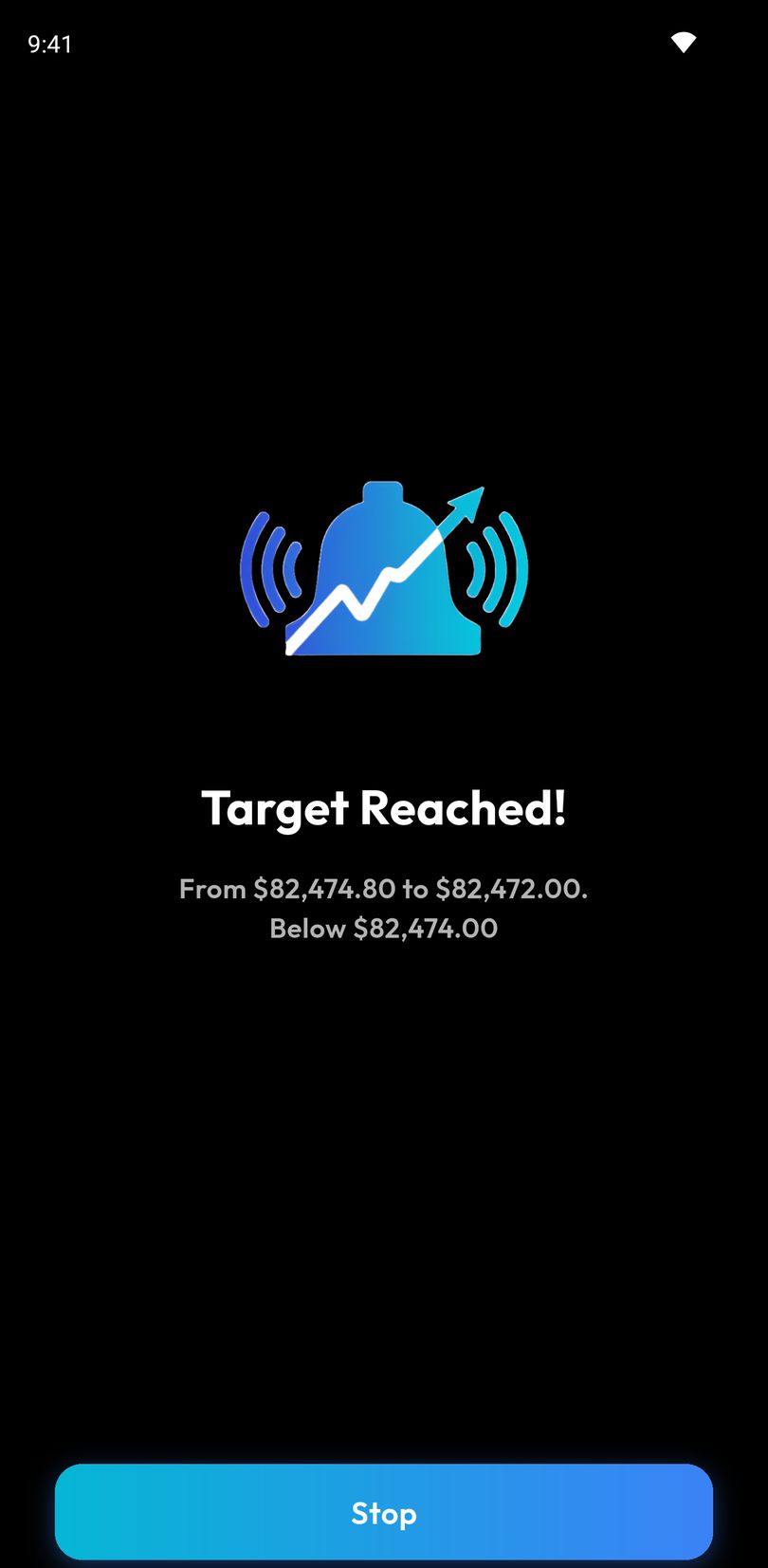
On Android: full screen over the lock screen, through silent mode, your tone at your volume. On iPhone: a Time Sensitive alert on the lock screen, your tone, up to 30 seconds.
Any Solana token
Not a shortlist — any SPL token, by name or mint address. Liquidity, holder count and pool age are shown before you arm anything.
A level you can feel
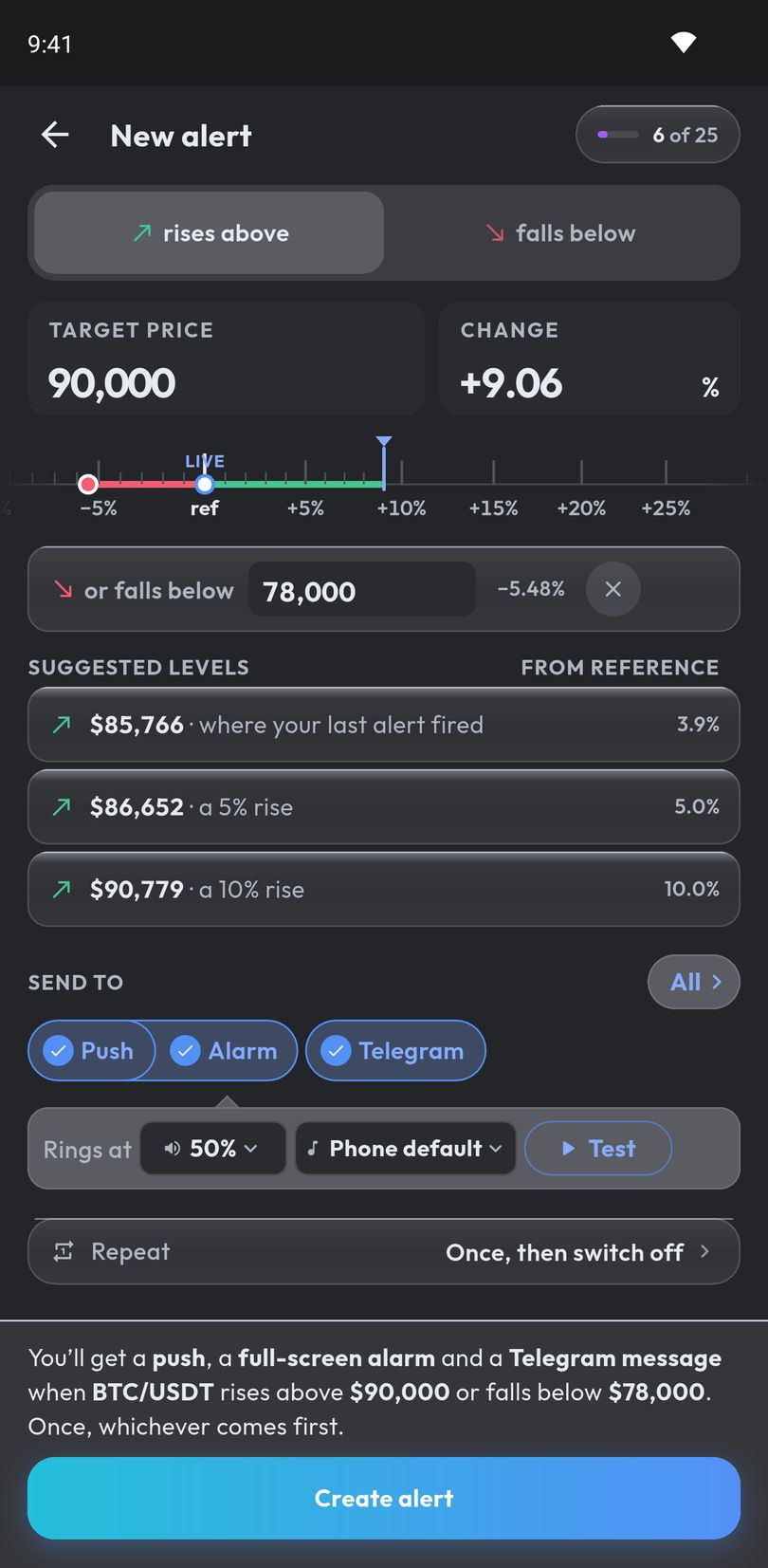
Drag a ruler instead of typing into a box, or take one of up to three suggested levels with the reason it is there.
Repeat without the spam
Fire once and switch off, or keep watching with a cooldown between firings — eight intervals from 5 minutes to a day.
Reach you where you are
Push by default. Add an alarm, or send the same alert to Telegram.
Your language, your theme
English, Spanish, Portuguese, French, Filipino, Vietnamese and Thai. Light, dark, or whatever the phone is set to.
Alarm mode
When a notification isn't enough. A sound you chose — and on Android, one that wakes the phone from deep sleep.
- On Android — takes the whole screen over the lock screen, with a wake lock so the display actually comes on.
- On Android — rings through silent mode, and through Do Not Disturb once you allow it in Android settings. Five tones, your own volume, and a timeout so it stops on its own if you sleep through it.
- On Android — a stop button big enough to hit half-awake, with the coin and the price that triggered it.
- On iPhone — lands on the lock screen as a Time Sensitive alert and plays the tone you chose, once, for up to 30 seconds. Not a full-screen takeover, and it won't open the app by itself.
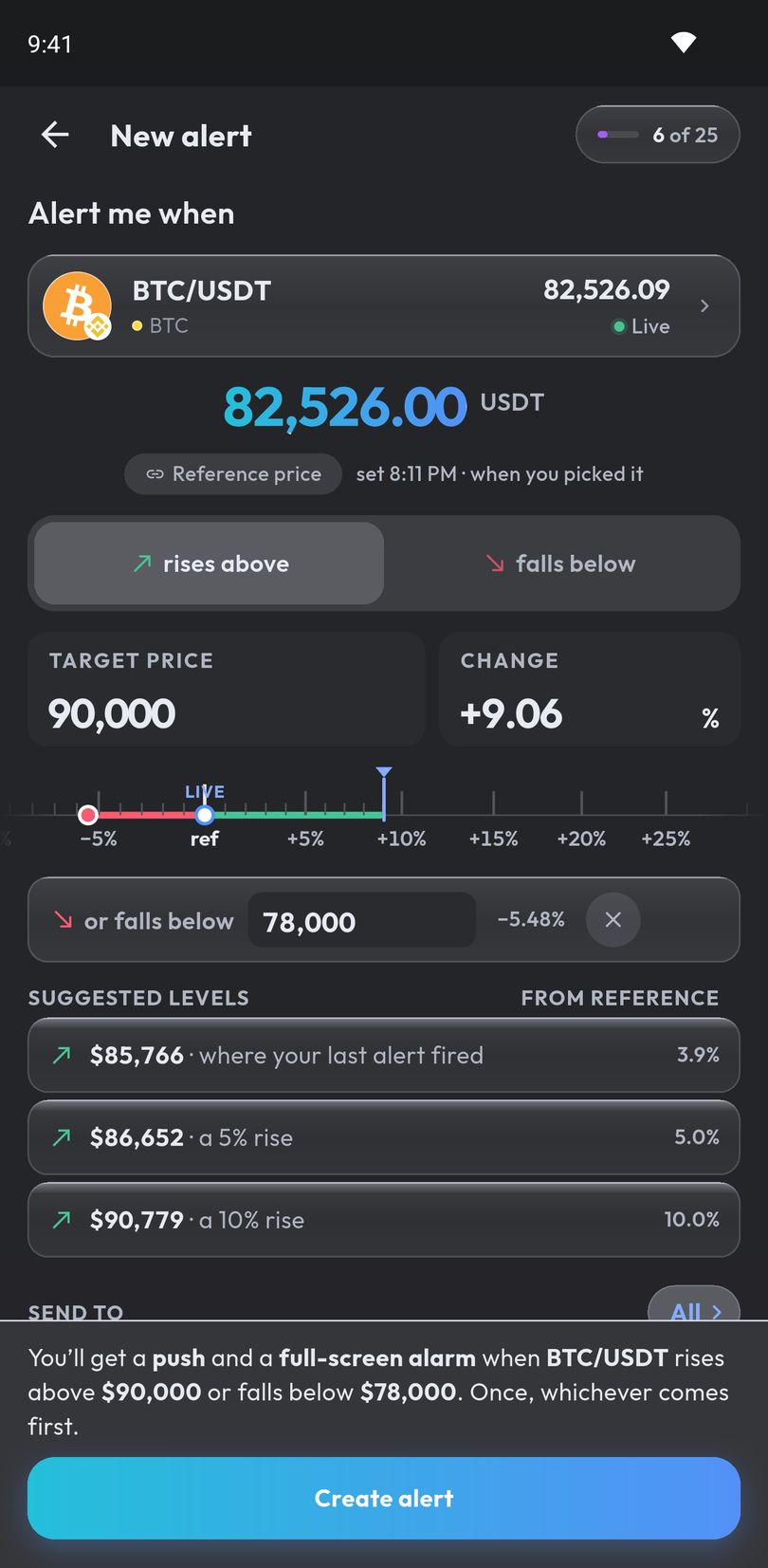
It tells you what it will do, before you arm it
One sentence above the button, written from the same state that writes the request. The screen and the alert cannot disagree.
- Drag a ruler to the level instead of typing into a box — the needle stays put and the scale moves under it
- Up to three suggested levels, each carrying the reason it is there
- Exact price or percentage, one side or both, for support and resistance at once
- Every refusal is inline and anchored to the box holding the bad value — nothing is a toast you can miss
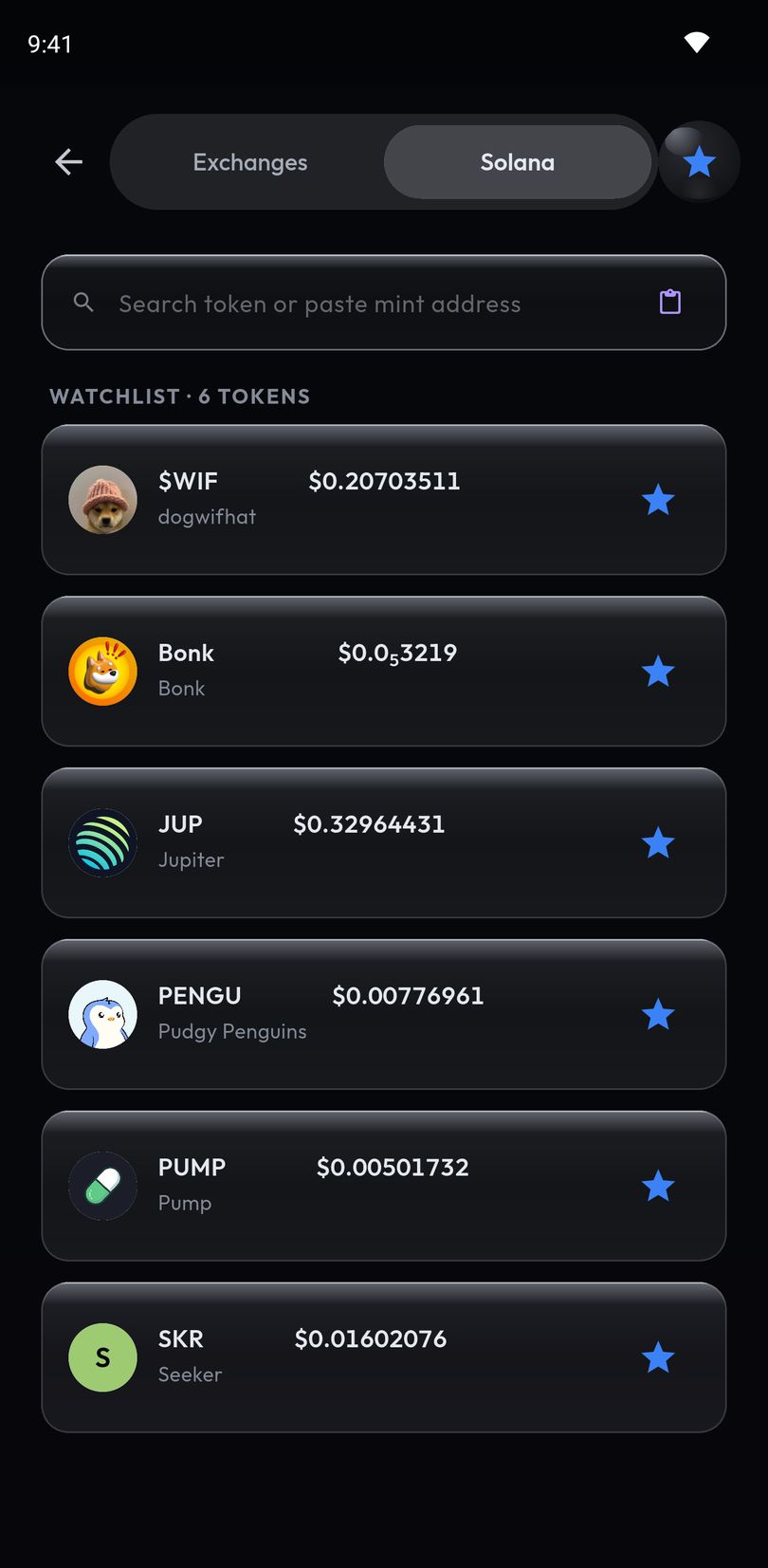
Alert on any Solana token, not just the ones an exchange lists.
There is no shortlist to be on: search any SPL token by name, or paste its mint address. Identity is the mint, never the ticker — so the two tokens both calling themselves BONK never get confused.
Paste an address, get an answer
A pasted mint resolves to one card with its price, its liquidity, holders and volume where the app has them, the pool it found and a Solscan link. Paste a pool address by mistake and it offers you the token that pool trades.
Warnings that name a reason
"$6.2K liquidity." "87 holders." "Pool opened 4h ago." There is no trust score and no rating of our own — the app never tells you a token is safe, only when one is worth care.
Percentages, not decimals
Percentage mode is pre-selected on-chain, because typing 0.00003046 on a phone keypad is not a reasonable ask. Sub-cent prices render in full rather than rounding to zero.
Jupiter's tick, as Jupiter's
The one positive mark on these screens, and it is labelled with whose it is. We report an outside verification; we never issue one. An unverified token simply shows nothing — absence is not an accusation.
Recents and a watchlist
Tokens you have used before and the ones you starred are one tap away, held on the phone. A token with no pool stays visible but cannot be armed — an alert on it could never fire.
On-chain tokens are volatile and many are worthless by design. The warnings are information, not a verdict — do your own research before acting on any alert.
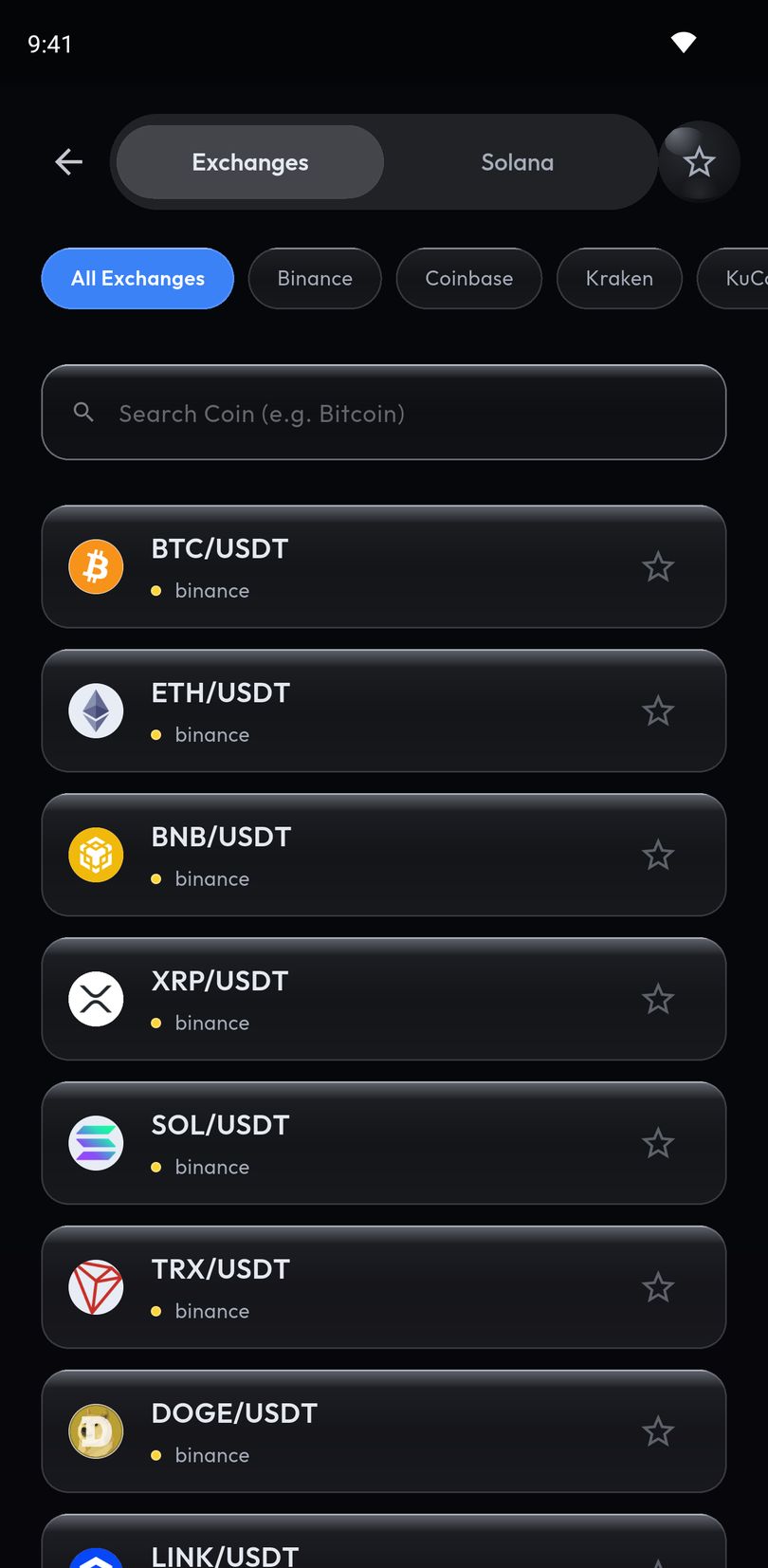
Every pair on the exchanges that matter
Over 5,000 pairs across more than 1,200 coins, on five exchanges, in one list.
- Binance, Coinbase, Kraken, Bybit and KuCoin, filterable one exchange at a time
- Each row carries the logo of the exchange the pair trades on, so it states its venue without extra text
- Favourite a pair and it moves to the top — stored on the phone, instantly, with no round trip
- Prices refresh every 2 seconds, and a delisted pair is marked rather than quietly going stale
Pick where it reaches you, per alert
Push is the default. Add the alarm, or send the same alert to Telegram — chosen on the alert, not buried in a global setting.
- A channel has to finish connecting before an alert can use it — the app will not promise you a destination it cannot reach
- The creating sheet checks that push can actually reach this phone, and says so if it cannot
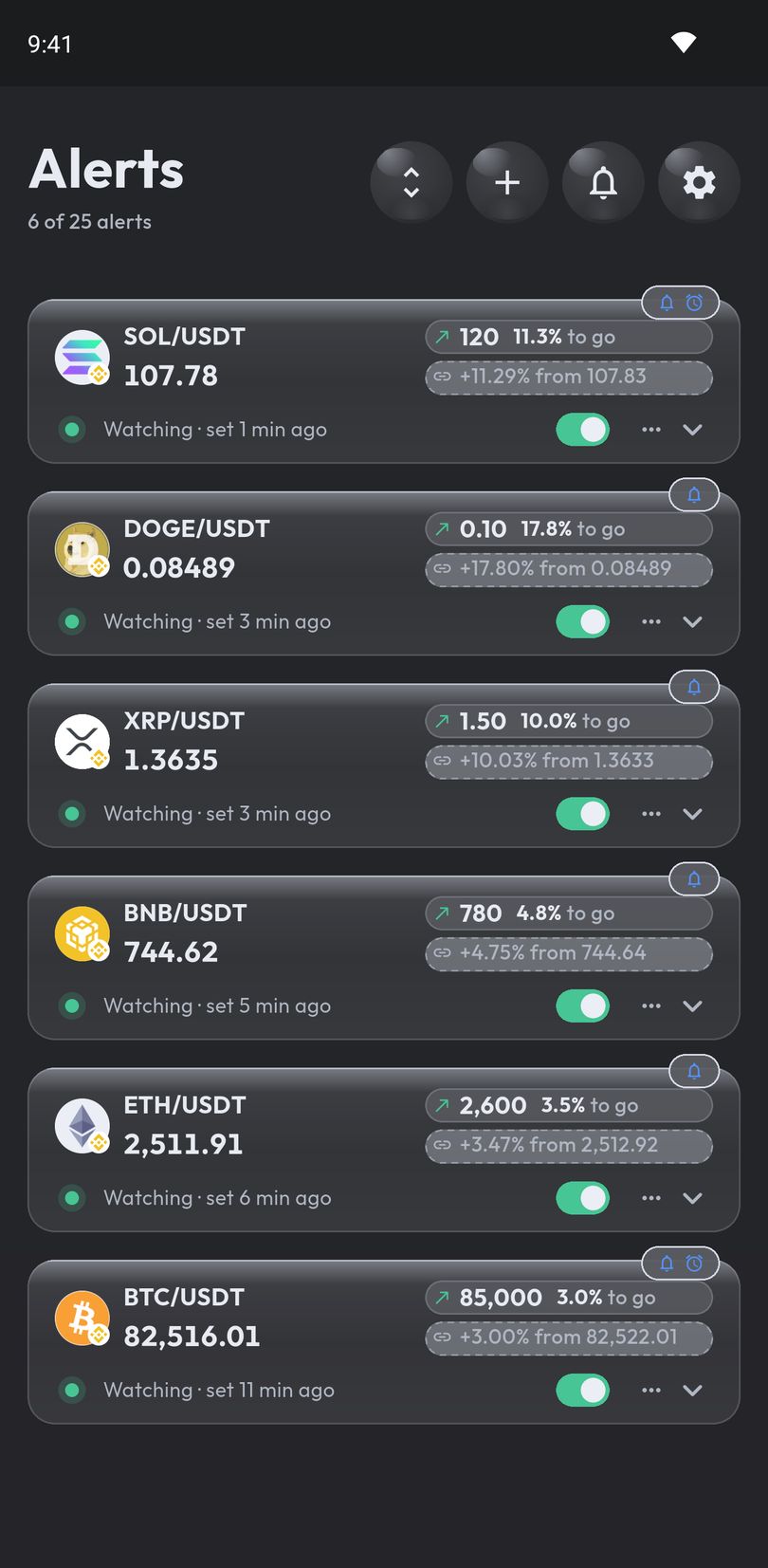
- Tap a notification and it opens the dashboard with that alert's own card lit, so there is no question which of six just fired
- Every firing is kept in history, grouped by day, and reading it clears the tray
Fires once, or keeps watching
Fire once and switch off, or repeat with a cooldown between firings — eight intervals from five minutes to a day, so a level that is crossed repeatedly does not become forty notifications.
History that keeps its place
Grouped into Today, Yesterday and older days, with unread marks that clear as you read them. Filter by unread, sort newest or oldest.
Your account, not your device
Alerts are armed on the server, so they fire whether or not the app is open — and they are still there after you change phones.
From install to armed in under a minute
No sign-up, no email, no wallet. The app opens on the dashboard and you can arm your first alert straight away — connect an account whenever you want to keep it beyond this phone.
1. Open it
Straight to the dashboard. No sign-up to get started.
2. Pick an asset
Over 5,000 pairs across five exchanges, or any Solana token by mint.
3. Set the level
Drag the ruler, take a suggestion, or type an exact price.
4. Choose how it reaches you
Push, an alarm, or Telegram. Once, or repeating.
Until you connect an email or a Google account, your alerts live on this phone only — so connect one before you change devices, and everything you have already set up comes with you.
Frequently asked questions
Does alarm mode work when my phone is locked?
On Android, yes. The alarm takes the whole screen over the lock screen and holds a wake lock, so the display comes on and the sound plays even if the phone has been asleep for hours. It rings through silent mode.
On iPhone it is a Time Sensitive notification: it lands on the lock screen and plays the tone you chose, once, for up to 30 seconds. With the ringer switch on silent it makes no sound at all, and there is no setting in the app that changes that. It is not a full-screen takeover and it will not open the app by itself.
Which exchanges are supported?
Can I set a price alert on a specific token?
Can I set alerts on Solana tokens and memecoins?
Do I need an account?
Is this a trading bot?
What happens if I have Do Not Disturb on?
Is there an iPhone version?
What languages does the app support?
Is there a dark mode?
What data does the app collect?
Get in touch
Bug reports, data and deletion requests, or anything else — one person reads them, and it is this one.

Email support
support@appsfromzero.comThere is also a feedback form inside the app, under Settings › Help & About.
Set the alert. Go to sleep.
Available on Google Play. The iPhone app is awaiting App Store review.