
A crypto price alarm for Android that wakes you at your price
To be woken when a coin reaches your price, you need an alert that behaves like an alarm clock. A normal push notification waits in the tray, and on silent it makes no sound.
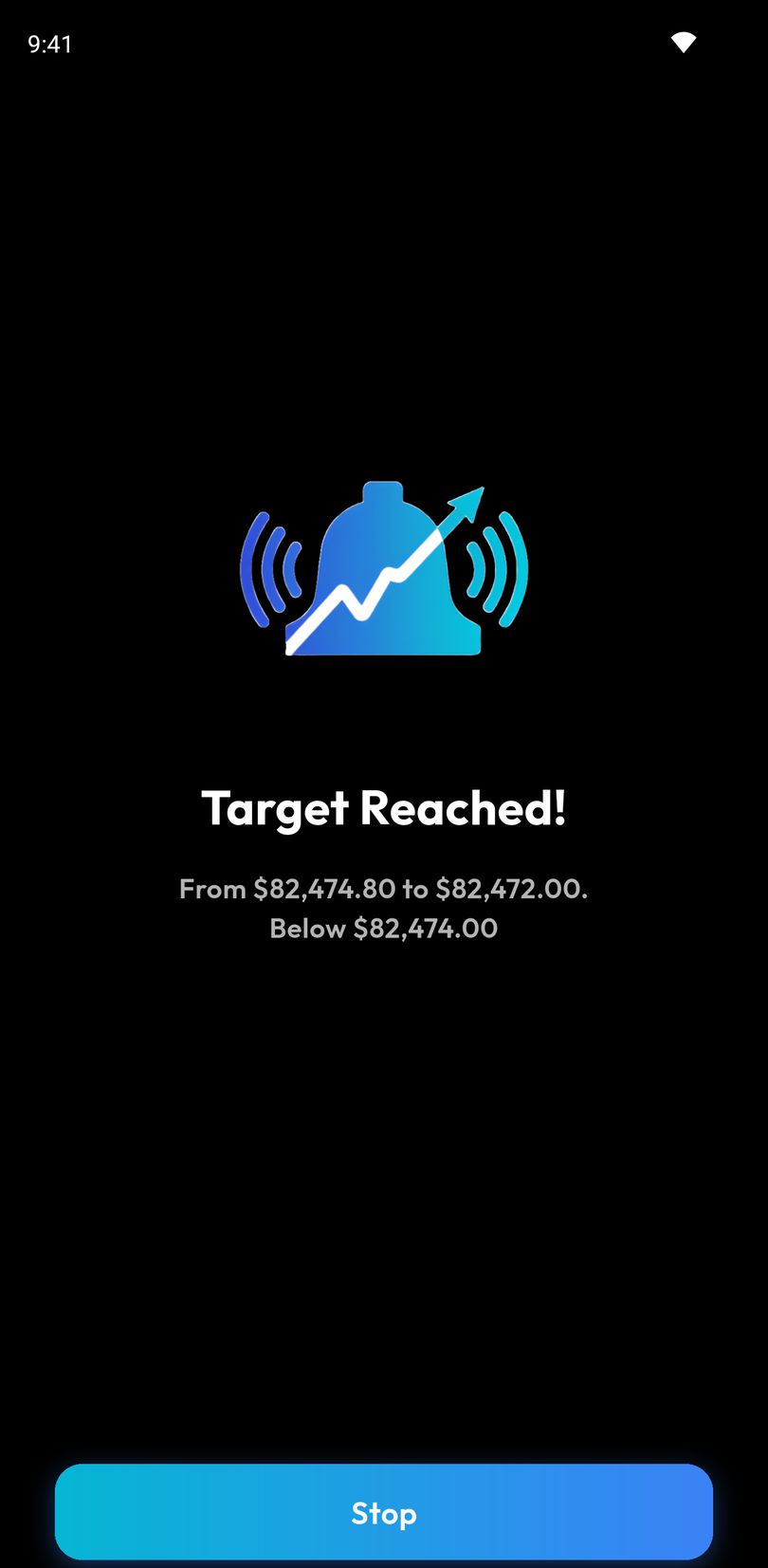
Crypto Alerts & Alarms is an Android app with that kind of alert. Its full-screen alarm takes over the lock screen, rings through silent mode and keeps ringing until you stop it or its timeout ends. Any alert can also stay a standard push notification, or go to Telegram.
Android only for now. An iPhone version is in development.
Alert or alarm: what changes
| Push notification | Full-screen alarm | |
|---|---|---|
| On a locked phone | May light the screen briefly, then waits in the tray | Takes over the whole screen, with a wake lock so the display comes on |
| On silent | No sound | Rings through silent mode |
| Do Not Disturb | Silenced by Android, as it should be | Built to get through when Do Not Disturb allows alarms |
| Sound | Your phone’s notification sound, once | One of five tones, at your volume, until you stop it or the timeout ends |
How to set a crypto price alarm
- Install Crypto Alerts & Alarms from Google Play and open it.
- Search for the coin and pick the exchange pair you watch, for example BTC/USDT on Binance or ETH/EUR on Kraken. You can also paste a Solana token’s mint address.
- Set the level: an exact price, or a percentage move. Choose above, below or either side.
- Choose the alarm as the way it reaches you, then set its volume and pick a tone. The tone and the timeout apply to all your alarms, and you can change them in Settings.
- Decide whether it fires once, or repeats with a cooldown between firings, from 5 minutes to a day.
To check it on your own phone tonight rather than at the worst moment, set a test alarm a little above or below the current price, lock the screen and wait for it to ring.
Will it ring at 3 AM? The settings that matter
- Silent mode: the alarm rings through it. Nothing to change.
- Do Not Disturb: the alarm is posted as an alarm, so keep alarms allowed in the Do Not Disturb settings you sleep with. Menus differ by phone and Android version; Do Not Disturb exceptions on Android has the steps. The app’s checklist also has an optional Ring in Do Not Disturb row.
- Notifications: allow them when the app asks. Without that permission, Android cannot show any alert from it.
- Showing over the lock screen: on Android 14 and later this needs the full-screen permission. The app checks it, tells you if it is off and takes you to the switch. Some phones, Xiaomi’s among them, add a pop-up permission of their own that no app can read: if the alarm rings but does not cover the lock screen, allow pop-ups for the app in the phone’s settings.
- Battery savers: aggressive battery settings on some phones can delay notifications. If an alert ever arrives late, take the app out of battery optimization.
- The app being closed: it does not matter. Prices are watched on our servers, not on your phone, so alerts fire with the app closed.
The best crypto alarm apps for Android, compared
Several Android apps make alarm-style claims. The table quotes each app’s own listing, checked on 28 October 2026. We make the first app on the list, and we have not tested the other apps’ claims ourselves.
| App | How it gets your attention, per its listing | Also per its listing | Source |
|---|---|---|---|
| Crypto Alerts & Alarms (this app) | Full-screen alarm over the lock screen that rings through silent mode, with a wake lock, five tones, your volume and a timeout | Binance, Coinbase, Kraken, Bybit and KuCoin pairs; Solana tokens by mint address; Telegram | Our FAQ |
| Alarm Crypto (Contrl APP) | “Rings LOUD even on silent mode”; “uses Android’s native alarm channel” | “2,000+ cryptos” from Binance, Coinbase, Kraken, Bybit, Bitget and MEXC | Google Play, updated 12 Oct 2026 |
| Coin Alarm (Elegant Develop) | “Alarm clock will work when the cryptocurrency reaches the specified price”; you set an alarm or a notification. The listing does not mention silent mode | KuCoin, Bittrex, Bitfinex and Poloniex | Google Play, updated 28 Aug 2026 |
| Coin Guardian | “Emergency Alert Mode”: “A powerful siren alarm rings continuously for 5 minutes” | 8 exchanges including Binance, Bybit, Bitget, OKX, Gate.io and Upbit; RSI, MA and Bollinger Band alerts | Google Play, updated 11 Oct 2026 |
| Crypto Alarm (sonmabu) | A full-screen alarm that “Bypasses Do Not Disturb (DND) and silent mode”, with “Continuous vibration feedback until you dismiss the alarm” | Prices “via Binance”; English and Vietnamese | Google Play, updated 27 Oct 2026 |
| Crypto Alerts & Tracker (Manaps Logics) | “Loud alarm notifications”. The listing does not mention silent mode | “Top 8 Crypto Exchanges”; email alerts; recurring alerts with a cooldown | Google Play, updated 23 Mar 2026 |
| Crypto Alerts: Coin Price App (Sharpen Solutions) | “A 28-second crypto alarm that plays through Do Not Disturb”, and “A different sound for drops” | Push, email and Telegram, with quiet hours; tokens by contract on Solana and other chains; RSI, MACD and EMA alerts | Google Play, updated 26 Oct 2026 |
| Cryptocurrency Alerting | Automated phone calls and SMS; its app delivers push notifications | Email, Slack, Telegram, Discord and webhooks; wallet, gas and stock alerts; iPhone and web | Pricing page and Play listing |
| Boilr | “Triggered alarms ring, displaying their status, until you turn them off. Just like an alarm clock.” | Open source; “90+ exchanges”; latest version (0.7.0) added in January 2017 | F-Droid |
If you need a phone call rather than an alarm on the phone itself, read how Cryptocurrency Alerting and Crypto Alerts & Alarms differ.
On iPhone
Crypto Alerts & Alarms is Android only for now; an iPhone version is in development. The ring-through-silent behaviour described on this page is how the app works on Android.
Android only for now. An iPhone version is in development.
Common questions
Does the alarm ring if the app is closed?
Yes. Alerts are checked on our servers, not on your phone, so they fire with the app closed and the phone locked.
Can I choose the alarm sound?
Yes. There are five tones, your own volume, and a timeout so the alarm stops on its own if you sleep through it.
Can I set an alarm for a Solana token?
Yes. Find the token by name or paste its mint address; it needs a pool on a supported DEX with enough liquidity.
Will it keep waking me if the price hovers around my level?
Only if you want it to. An alert can fire once and switch off, or repeat with a cooldown between firings, from 5 minutes to a day.
Will the alarm go off on Do Not Disturb?
It is built to: the alarm is posted as an alarm and plays on the alarm volume, the kind of sound Do Not Disturb lets through when its settings allow alarms. The app’s alarm checklist also has an optional Ring in Do Not Disturb row, which opens Android’s Do Not Disturb access screen. Standard notifications stay silenced, as they should be.
Last updated: 28 October 2026. Listings change. If anything here is out of date, email support@appsfromzero.com and we will correct it.