
Cryptocurrency Alerting alternatives: a full-screen Android alarm and more
Crypto Alerts & Alarms and Cryptocurrency Alerting are two separate apps from two separate companies. Cryptocurrency Alerting covers far more ground: more coins and exchanges, phone calls, SMS, email, wallet and gas alerts, stocks, and apps for the web, iPhone and Android. Crypto Alerts & Alarms does two things Cryptocurrency Alerting’s pages do not describe: on Android, a price alert can become a full-screen alarm that takes over the lock screen and rings through silent mode, and it alerts on Solana tokens by mint address.
We make Crypto Alerts & Alarms (getcryptoalert.com). We are not affiliated with Cryptocurrency Alerting, LLC (cryptocurrencyalerting.com): the names are similar, the companies are not. Everything said about their product here is quoted from their own pricing page, alert form and Google Play listing, checked on 28 October 2026.
Android only for now. An iPhone version is in development.
The short answer
Pick Cryptocurrency Alerting if you need
- an alert by phone call or SMS;
- delivery by email, Slack, Discord or webhook;
- wallet balance, ETH gas, Bitcoin mempool, exchange listing, funding rate or stock alerts;
- coins on more exchanges, including decentralised ones such as Uniswap and PancakeSwap;
- an iPhone or web app today.
Pick Crypto Alerts & Alarms if you need
- an alert that wakes you on Android without depending on a phone call or a phone carrier;
- alerts on Solana tokens by mint address, including tokens no exchange lists.
You can run the same alert in both and see which one you notice.
Side by side
| Crypto Alerts & Alarms | Cryptocurrency Alerting | |
|---|---|---|
| Runs on | Android. An iPhone version is in development | Web, iPhone and Android |
| What it watches | Over 1,200 coins on Binance, Coinbase, Kraken, Bybit and KuCoin. Any Solana token by name or mint address, once it has a pool on a supported DEX with enough liquidity | “Over 20,000 different cryptocurrencies across 30+ top crypto exchanges”, including Uniswap and PancakeSwap. Also exchange listings, wallet addresses and balances, ETH gas, the Bitcoin mempool, dominance and market cap, blockchain metrics, whale alerts, funding rates, and over 10,000 stocks and ETFs |
| Price alerts | An exact price, or a percentage move from the price when you set the alert; above, below or either side | A price, or a percentage change within a window you choose, from 1 minute to 24 hours; also volume |
| Exchange and repeats | You pick the exchange pair. Fire once, or repeat with a cooldown from 5 minutes to a day | You pick the exchange. Fire once, or repeat with a cooldown from 5 minutes to 7 days |
| How alerts reach you | A push notification every time, which can ring as a full-screen alarm; Telegram as well if you add it | Email, push, browser, Slack, Telegram, Discord and webhook; also SMS and automated phone calls |
| Loudest option | A full-screen alarm over the lock screen that rings through silent mode, with a wake lock, five tones, your volume and a timeout (Android) | An automated phone call |
| SMS | Not offered | Their page says: “SMS alerts in the US & Canada are currently being blocked by phone carriers.” Phone calls are not affected |
| Trading and exchange access | Never places a trade, never connects to your exchange account, never asks for an API key | Not mentioned |
Where Cryptocurrency Alerting is the better choice
Coverage. Their listing claims over 20,000 cryptocurrencies across more than 30 exchanges, including decentralised exchanges such as Uniswap and PancakeSwap. If your coin trades somewhere other than Binance, Coinbase, Kraken, Bybit, KuCoin or a Solana pool, check theirs first.
Breadth. Wallet watching, gas and mempool alerts, exchange listing alerts, whale alerts, funding rates and stock market alerts are things Crypto Alerts & Alarms does not do at all. If your alert is about what a wallet holds or what a network costs, rather than what a coin trades at, use theirs.
Percentage windows. Their percentage alerts measure a change within a window you pick, from 1 minute to 24 hours, which suits “tell me if it drops 5% within an hour”. Ours measure from the price when you set the alert, with no time window. Their cooldowns also run longer, up to 7 days.
Channels. If you want the alert in an inbox, a Slack or Discord channel, or your own system through a webhook, they support all of those. We deliver to the phone and to Telegram only.
A real phone call. An automated phone call can wake you, and their page says phone calls are not affected by the carrier blocking that hits SMS in the US and Canada.
iPhone and web, today. If you are on an iPhone right now, theirs runs there and ours does not yet.
Where Crypto Alerts & Alarms fits better
An alarm on the phone itself
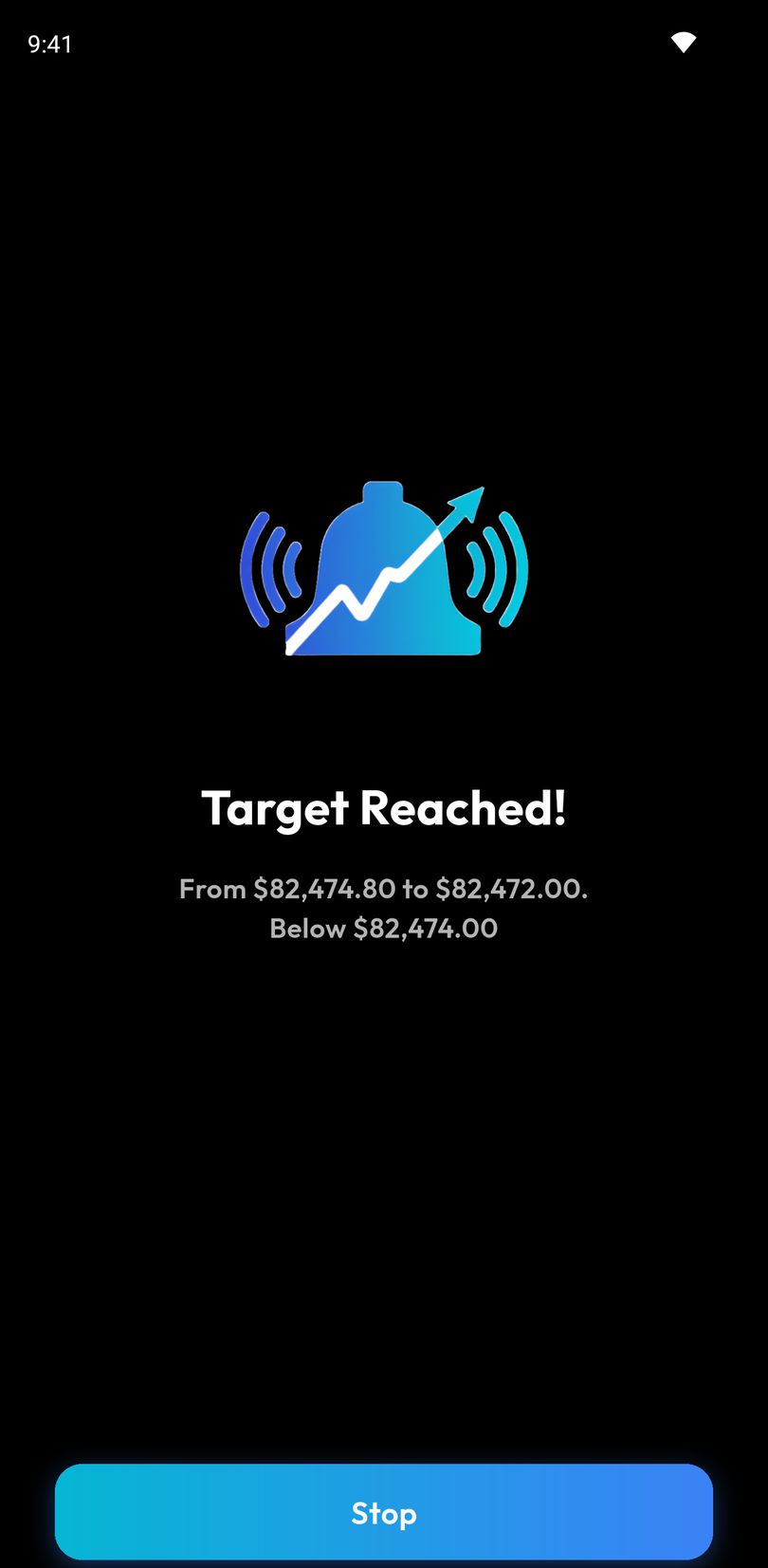
An alert can ring as a full-screen alarm. It takes the whole screen over the lock screen and holds a wake lock, so the display comes on and the sound plays even if the phone has been asleep for hours. It rings through silent mode, with your choice of five tones, your volume, and a timeout so it stops on its own if you sleep through it. Under Do Not Disturb it is built to ring when your settings allow alarms, because it is posted as an alarm. Nothing depends on a phone network delivering a call or a text. How the alarm works, and the settings it needs.
Solana tokens by mint address
You can alert on any Solana token by name, or paste its mint address. For a pasted address, before you arm anything, the app shows the token’s price, its liquidity, holders and volume where it has them, and the pool it found, with a Solscan link; a search by name lists each token’s price with its liquidity and holders, or a warning. The token needs a live pool on PumpSwap, Raydium, Orca or Meteora DLMM with enough liquidity. Cryptocurrency Alerting’s pricing page does not list alerts on Solana tokens by mint address.
Other Cryptocurrency Alerting alternatives
Depending on what you use Cryptocurrency Alerting for, these may fit too. Each line is quoted or summarised from the app’s own listing or pages, checked 28 October 2026.
- Alarm Crypto (Android and Windows): says it “rings LOUD even on silent mode” and covers “2,000+ cryptos”.
- Coin Guardian (Android): a siren that “rings continuously for 5 minutes”, plus RSI, moving-average and Bollinger Band alerts.
- Crypto Alerts & Tracker by Manaps Logics (Android): “Loud alarm notifications” and email alerts.
- Coinalert.me (Android): target-price alerts sent by push, Telegram, Discord or email.
- CoinGecko and CoinMarketCap (iPhone, Android): price alerts on listed coins, as push notifications, inside trackers you may already use.
- DEX Screener and Birdeye (web, iPhone, Android): alerts on tokens that trade in on-chain pools. The decentralised exchanges Cryptocurrency Alerting’s listing names are Uniswap and PancakeSwap.
- bagSIREN (Telegram and web): phone calls, SMS and Telegram about the tokens in a Solana wallet.
More detail: the best crypto price alert apps for Android and the best meme coin price alert apps.
Setting up the same alert here
- Install Crypto Alerts & Alarms from Google Play.
- Search for the coin and pick the exchange pair you watch, for example BTC/USDT on Binance.
- Type the price, or switch to a percentage move. Choose above, below or either side.
- It arrives as a push notification; turn on the full-screen alarm or add Telegram if you want either.
- Allow notifications when Android asks. For the alarm to get through Do Not Disturb, keep alarms allowed in your Do Not Disturb settings.
To see it work today, set a test alert a little above or below the current price and lock the phone. Alerts are checked on our servers, so they fire with the app closed.
Android only for now. An iPhone version is in development.
Common questions
Is Crypto Alerts & Alarms the same as Cryptocurrency Alerting?
No. They are different apps from different companies. Crypto Alerts & Alarms is made by Apps From Zero and lives at getcryptoalert.com. Cryptocurrency Alerting is made by Cryptocurrency Alerting, LLC and lives at cryptocurrencyalerting.com.
Does Crypto Alerts & Alarms send SMS or phone calls?
No. Alerts arrive as push notifications, as a full-screen alarm on the phone itself, or as Telegram messages. If you need an automated phone call, Cryptocurrency Alerting offers one.
Does the alarm ring when my phone is on silent?
On Android, yes. The full-screen alarm rings through silent mode. Under Do Not Disturb it is built to ring when your settings allow alarms, because it is posted as an alarm.
Is there an iPhone version of Crypto Alerts & Alarms?
Not yet. Android is live on Google Play today, and an iPhone version is in development. Cryptocurrency Alerting already has an iPhone app.
Do the alerts work when the app is closed?
Yes. Alerts are checked on our servers, not on your phone, so they fire with the app closed.
Last updated: 28 October 2026. Listings change. If anything here is out of date, email support@appsfromzero.com and we will correct it.