
How to set price alerts on Kraken: app, web and desktop
Kraken’s support pages put price alerts in Kraken Pro: in its app, tap the bell icon in the top right corner of the Markets page (on the web, open the Alerts widget), then Create new alert, choose the market, the trigger and the price, and tap Create alert. The price can be typed in or set with percentage buttons from the current price. For the main Kraken app, the same pages describe Watchlist alerts, which flag big moves in assets you have starred.
The steps and labels below come from Kraken’s support articles Market Alerts (last updated 20 January 2026) and Watchlist alerts on Kraken (last updated 30 March 2026), both checked 28 October 2026. We make Crypto Alerts & Alarms, an Android app that can watch the same Kraken pairs, and we are not affiliated with Kraken.
Android only for now. An iPhone version is in development.
Set a price alert in the Kraken Pro app
- Allow push notifications for Kraken Pro in your phone’s settings and inside the app. Kraken says the notification setting for price alerts is on by default.
- Open the price alerts screen: tap the bell icon in the top right corner of the Markets page, or long-tap any market or open order.
- Tap Create new alert. The same screen lists your active and historical alerts.
- Choose the market and the trigger, then set the price: type it, or use the percentage adjustment buttons to move away from the market’s current price.
- Tap Create alert. To change or remove it later, use the three-dot menu beside it.
When Kraken launched these alerts for its spot and futures markets in September 2023, its blog post described the trigger as the price going above or below your level, and said alerts sync between Kraken Pro on the web and in the app.
Set one on Kraken Pro on the web
- Find the Alerts widget. In the Advanced view it sits behind the Order form by default. If it is missing, switch Alerts on under Layouts & widgets, or click the three dots at the top right of any widget, then Add Widget, then Alerts.
- Click Enable, so the browser asks for permission to show notifications. Your computer’s operating system has to allow them too.
- Click Create new alert, or right-click the chart to start one already set to that pair and price.
- Choose the market, the trigger and the price, then click Create alert.
Active alerts also show on that market’s chart, where you can drag them up or down to change the level. Kraken says a web alert is a pop-up notification with an audible alert sound.
Kraken Desktop: alerts from the price axis
Kraken Desktop has two ways to add an alert, and its alerts sync with Kraken Pro and the mobile apps.
- Quick alerts: with “quick creation” switched on in the Chart module settings, click the left side of the price axis to set an alert at that price. A small yellow triangle shows that a click will create the alert. Hold CMD or CTRL and click an alert to delete it.
- The Alerts panel: the Alerts button at the top right opens one list of every alert, whether it was made in Kraken Desktop, Kraken Pro or a mobile app, where you can add, duplicate, edit or delete them. Its Alerts Log lets you re-add alerts that have already triggered.
Volatility and Watchlist alerts: moves Kraken flags for you
Two kinds of Kraken alert need no level from you.
- Volatility alerts in Kraken Pro cover the markets you have favourited, and include the percentage move over the last 24 hours and the current price. In the app, turn them on or off under Account, Notifications, then the Market Alerts section; on the web, under your account icon, the Notifications tab, then the Market section. Favouriting or unfavouriting a market turns its alerts on or off.
- Watchlist alerts in the Kraken app do the same for assets on your Watchlist. Star an asset from its page (Explore tab, then the star icon in the top right corner), then tap the Account icon, Notifications, and switch on Watchlist alerts under customize. On kraken.com the switch is on the Notifications page.
Neither article says how big a move has to be before Kraken sends one. When you need a set price, use a price alert in Kraken Pro.
Futures alerts: set them on the web
Kraken says price alerts for futures cannot currently be set in the app. Set one on Kraken Pro on the web instead: if price alert notifications are on in the app, it still reaches your phone, but tapping it will not open the right market page the way a spot alert does. Crypto Alerts & Alarms does not cover futures at all; it watches Kraken’s spot pairs only.
No Kraken alert arrived? What to check
- Phone permission: push notifications for Kraken Pro must be allowed at the device level, in your phone’s settings, and inside the app. Menus differ by phone model and Android version.
- The app’s own switch: the price alert notification setting starts on, so check it was not turned off along with other notifications.
- On the web: notifications have to be allowed by the operating system and by the browser for the Kraken Pro website; Kraken’s article has the browser steps.
- The alert itself: check it is listed as active, not historical. In Kraken Desktop, the Alerts Log keeps alerts that have triggered, ready to re-add.
- The market: an alert is set on one market, so a level crossed on a different pair or a different exchange does not set it off.
- Kraken’s side: Kraken posts incidents on its status page, status.kraken.com.
- The phone holding it back: battery saving and Do Not Disturb can delay or silence any app. See delayed notifications on Android.
An alarm on the same Kraken pair
Kraken describes its alerts as push notifications on the phone and pop-ups with a sound in the browser. To be woken at night by a price on a phone set to silent, you need something that behaves like an alarm clock instead.
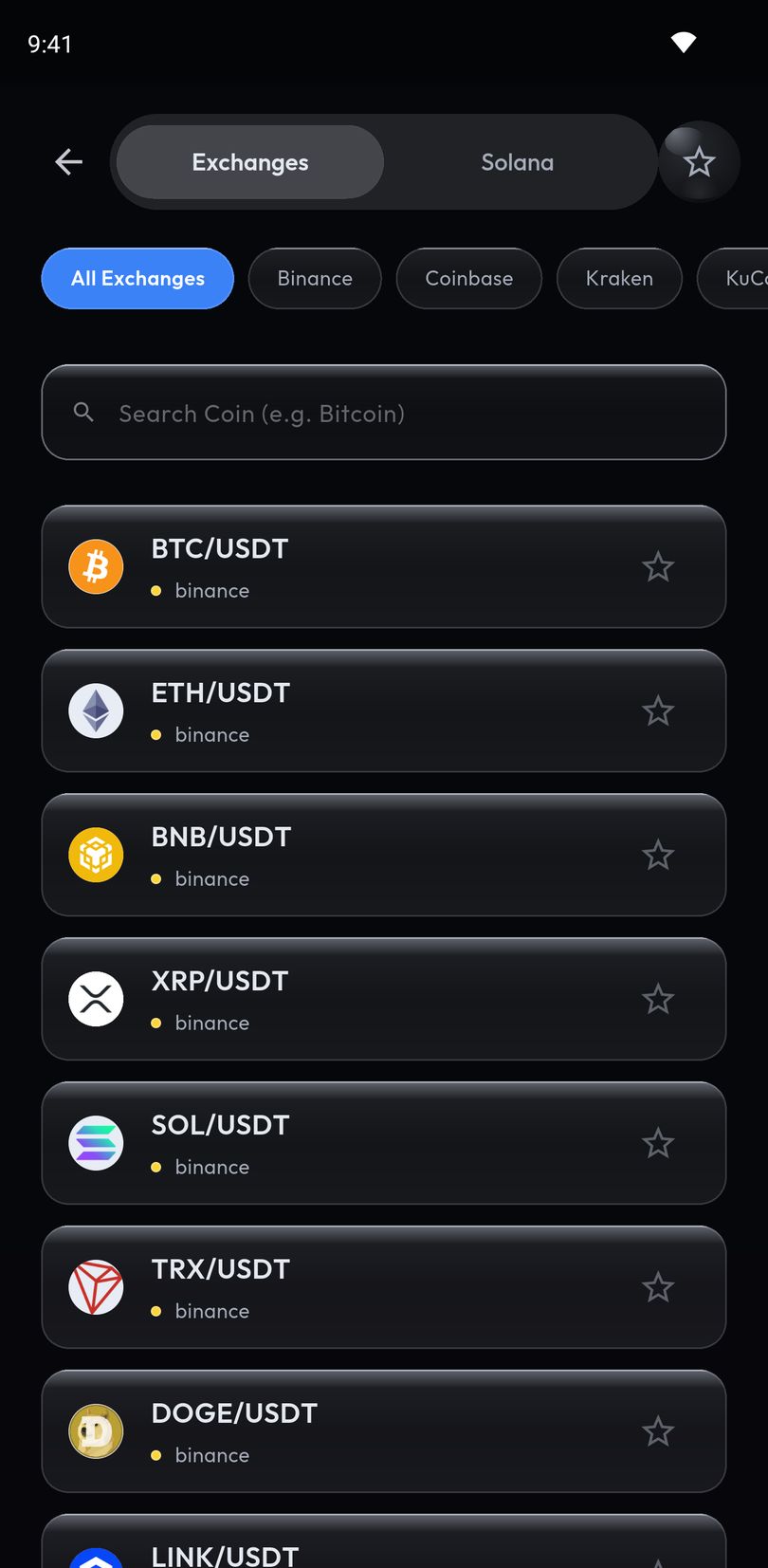
Crypto Alerts & Alarms is an Android app that watches Kraken spot pairs, including euro, pound and other currency pairs, such as BTC/USD, ETH/EUR or SOL/GBP. The checking runs on our servers against Kraken’s public prices, so the app can stay closed. You set a price above or below, or both, or a percentage from the current price; as with Kraken’s percentage buttons, that percentage becomes a fixed price level when you create the alert. Each alert can:
- take over the lock screen with a full-screen alarm that rings through silent mode;
- arrive as a standard push notification;
- go to a Telegram chat you have connected.
It can fire once and switch off, or keep watching with 5 minutes to 24 hours between firings. In the app, tap the Kraken chip above the coin list, search the coin, pick the pair and set your level. It needs no Kraken login or API key, and it never trades.
The alarm guide covers the Android settings it needs, such as the full-screen permission on Android 14 and later.
Android only for now. An iPhone version is in development.
Common questions
How do I set a price alert on Kraken?
Use Kraken Pro. In its app, tap the bell icon in the top right corner of the Markets page, then Create new alert; on the web, open the Alerts widget and click Create new alert. Choose the market, the trigger and the price, then Create alert.
Does the Kraken app have price alerts?
Kraken’s support pages describe price alerts at a level you choose in Kraken Pro, on the web and in its app, and in Kraken Desktop. For the Kraken app they describe Watchlist alerts, which tell you about big moves in assets on your Watchlist.
Can I set a percentage price alert on Kraken?
Kraken’s alert form has percentage buttons that move the alert’s price away from the market’s current price. Separately, Kraken Pro’s volatility alerts report the 24-hour percentage move of markets you have favourited.
Can I set Kraken futures price alerts in the app?
Not at the moment: Kraken says price alerts for futures cannot currently be set in the app. Set them on the web; with price alert notifications on in the app, they still reach your phone.
Why didn’t my Kraken price alert arrive?
Kraken’s first condition is notifications: allowed for Kraken Pro in the phone’s settings and in the app, or, on the web, by both the operating system and the browser. Then check that the alert is still listed as active.
Last updated: 28 October 2026. Kraken updates its apps and support pages often. If anything here is out of date, email support@appsfromzero.com and we will correct it.