
The best way to set a price alert on any Solana token
Paste the token’s mint address into an app that can price its pool, check the token card, then set a price or a percentage move. In Crypto Alerts & Alarms that works for any Solana token with a live pool on PumpSwap, Raydium, Orca or Meteora DLMM, and the alert can ring as a full-screen alarm through silent mode on Android. Wallet apps such as Phantom and Jupiter Mobile notify you about activity in your wallet, and neither describes price alerts in its own documentation.
Android only for now. An iPhone version is in development.
1. Find the right mint address
The mint address is the token’s one true ID; its name and ticker can be copied by anyone. Take it from a source you trust, such as the project’s own site, the token’s CoinGecko page or an explorer such as Solscan, and copy it rather than retyping it. What a mint address is, and how to tell the real token from a copy.
2. Paste it, and read the token card before anything else
In Crypto Alerts & Alarms, open the Solana tab and paste the address. It resolves to one card with the token’s price, its liquidity, holders and volume where it has them, the pool it found and a Solscan link. Paste a pool address by mistake and it offers you the token that pool trades. If an aggregator has verified the token, the card shows Jupiter’s mark, labelled as Jupiter’s. It also flags thin liquidity, few holders or a very new pool, and gives no overall rating of its own.
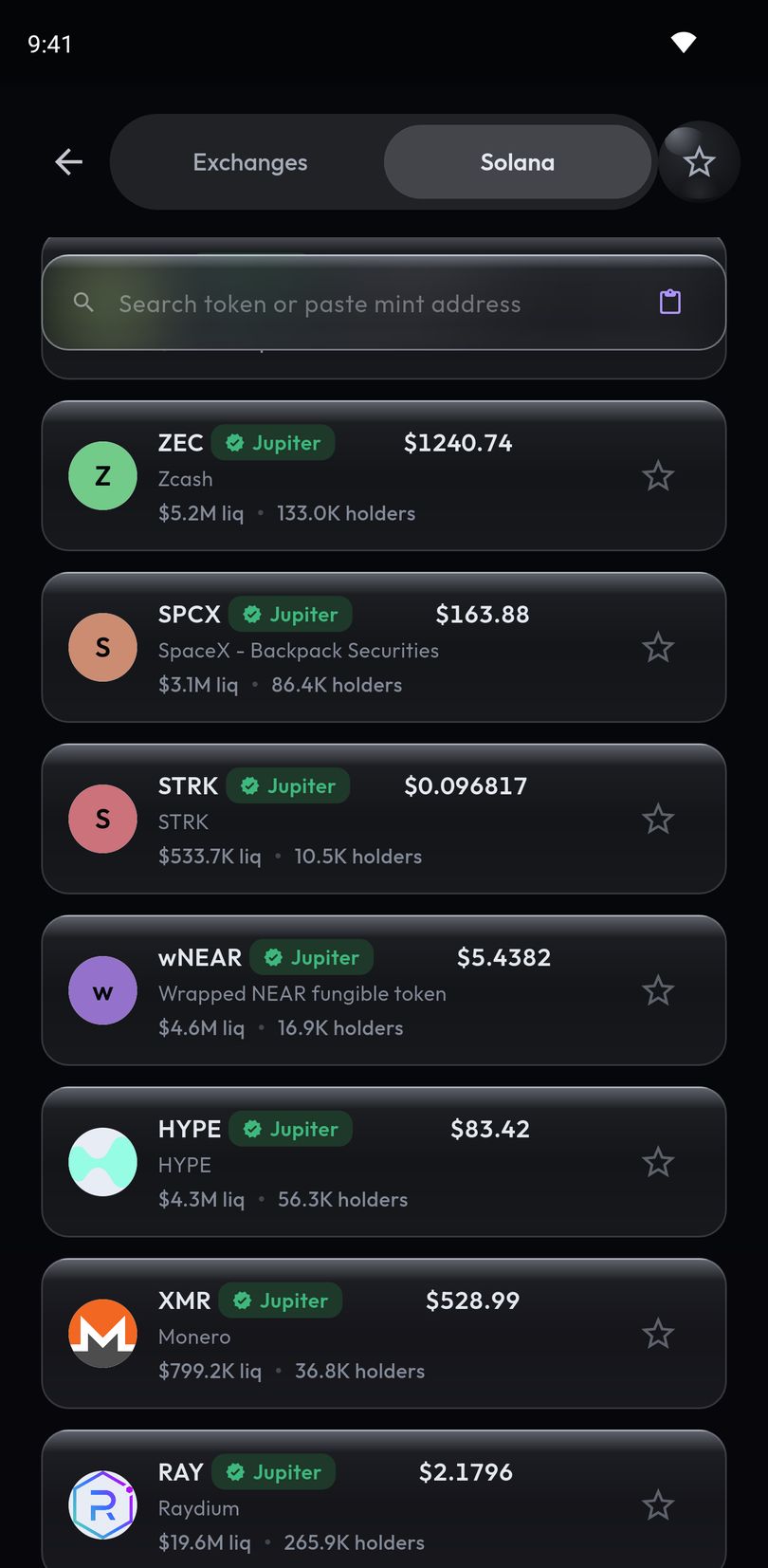
3. Set a percentage, not a long decimal
Many Solana tokens are priced with five or more zeros after the decimal point. Percentage mode is pre-selected for on-chain tokens, because typing 0.00003046 on a phone keypad is not a reasonable ask, and sub-cent prices are shown with their significant digits rather than rounded to zero. Choose a rise, a fall, or either way, and how far. How big a percentage alert should be.
4. Choose how it reaches you
- A push notification, for moves you can read later.
- A full-screen alarm that takes over the lock screen and rings through silent mode on Android, for moves you need to be woken for. How the alarm works.
- A Telegram message, if that is where you already watch the market.
Alerts are checked on our servers, so they fire with the app closed and the phone locked.
Why some tokens cannot be armed yet
An alert needs a price it can trust. If a token has no live pool on PumpSwap, Raydium, Orca or Meteora DLMM, or its pool holds too little liquidity for a meaningful price, the app cannot watch it yet. This often happens with very new tokens. Once a pool the app can read has enough liquidity, the same mint address works.
If the token is also on a big exchange
Some Solana tokens also trade on Binance, Coinbase, Kraken, Bybit and KuCoin, for example BONK, WIF and PENGU. For those you can alert on an exchange pair instead, which follows that exchange’s price rather than a pool’s. Pick the one you actually watch.
Other ways to get Solana token alerts, compared
| Tool | What you alert on | How alerts reach you |
|---|---|---|
| bagSIREN | The SPL tokens in a public Solana wallet, with percentage thresholds; you do not paste a mint | Phone calls, SMS and Telegram |
| Birdeye | On-chain tokens across Solana and other chains; alerting by mint address is not mentioned | Push in its app |
| Crypto Alerts & Alarms (our app) | Any Solana token by name or mint address, with a live pool on PumpSwap, Raydium, Orca or Meteora DLMM | Push, which can ring as a full-screen alarm through silent mode on Android; Telegram too |
| DEX Screener | “any pair on DEX Screener”, found by token or pair address; alerts are set per pair | In its app; a Telegram price-alert bot |
| GeckoTerminal | A pool: “visit a pool, and click on the alarm bell to add a Price Alert” | Browser notifications, with an account |
| Jupiter Mobile | No price alerts described; notifications cover swaps and order fills | Push |
| Phantom | No price alerts described; notifications cover activity, balances, market insights and news | Push |
Sources: DEX Screener (Play listing, docs and price-alert bot), Birdeye, GeckoTerminal, bagSIREN, Jupiter and Phantom. If you want a phone call rather than an alarm on the phone itself, bagSIREN is the one here that calls.
What the app never asks for
Setting a Solana token alert in Crypto Alerts & Alarms needs only the token. The app never asks for funds or a private key, never places a trade, never connects to your exchange account and never asks for an API key. It reads public prices and tells you when they cross your level.
Android only for now. An iPhone version is in development.
Common questions
Can I set a price alert on any Solana token?
In Crypto Alerts & Alarms, yes, by name or mint address, as long as the token has a live pool the app can read on PumpSwap, Raydium, Orca or Meteora DLMM, with enough liquidity for its price to be read. A token with no such pool cannot be armed yet.
Why can’t a token on a bonding curve be armed yet?
Because Crypto Alerts & Alarms takes a token’s price from a DEX pool of a type it can read, holding at least a minimum of liquidity, and a token that trades only on its bonding curve has no such pool: it trades against the curve itself. Once it graduates into a pool the app can read, with enough liquidity, the same mint address can be armed.
What does it mean when a token graduates or migrates?
Both words usually mean the token has left the bonding curve it started on, where a formula set its price, and its liquidity has moved into an ordinary DEX pool, where trading carries on; Raydium’s and Meteora’s docs describe it for their own curves. Crypto Alerts & Alarms does not alert on the graduation itself, only on price, and can arm the token once it has a pool the app reads, with enough liquidity; Meteora’s DAMM pools, where Meteora’s curves graduate, are not among them. If the pool behind an alert you have already set closes, has its swaps switched off or falls below the app’s minimum liquidity, the alert pauses, and our servers look for another pool of the same token that the app can read and, if they find one, move the alert there.
Does Phantom have price alerts?
Phantom’s help center describes push notifications about social activity, balance and trading updates, market insights and news, and does not describe price alerts on tokens.
Does Jupiter have price alerts?
Jupiter’s docs list push notifications for swaps, limit order fills and recurring order fills. Its perps FAQ says: “Jupiter Perps has no price alerts or price-movement notifications.”
Does Solscan have price alerts?
Solscan’s own documentation describes notifications about activity on the addresses you save to your watchlist, showing the time, the balance change and the type of transaction, and does not describe price alerts (checked 28 October 2026). You can copy a token’s mint address from Solscan and set the price alert on it in Crypto Alerts & Alarms.
What if I paste a pool address instead of a mint address?
Crypto Alerts & Alarms recognises it and offers you the token that pool trades, so you still end up on the right token. The difference between the two.
Which DEX pools can the app read?
PumpSwap pools, Raydium’s AMM v4, CPMM and CLMM pools, Orca Whirlpools and Meteora DLMM pools, as long as they hold enough liquidity for a meaningful price. If a token trades only elsewhere, including on a bonding curve or in a Meteora DAMM pool, the app cannot watch it yet.
Last updated: 28 October 2026. Spot a mistake? Email support@appsfromzero.com and we will correct it.